What are schedule changes?
Making schedule changes is an easy way to keep job statuses updated. Jobs will show a "Pending" status until a schedule change is made or the week is closed, after which the status switches to "Closed."
Several reports track or filter based on the status of a job to help you get accurate data on what's happening day-to-day and long-term in your business.
Want to learn more about specific schedule changes? Click on the following links!
How can I add reasons for schedule changes?
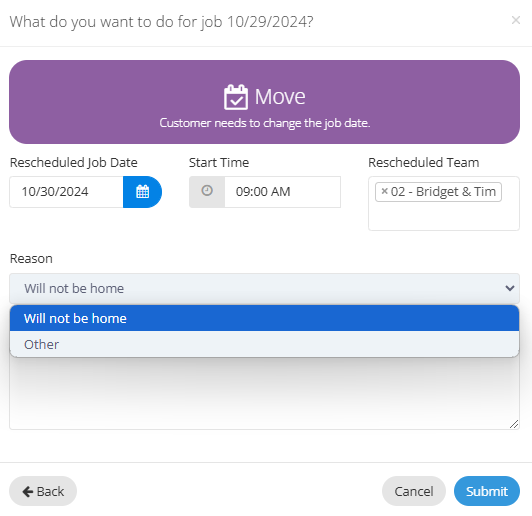
When making a schedule change on a job, there's a drop-down menu for the Reason. There are a few reasons already included for the schedule change you're making.
If you want to add more reasons, just head over to the Company tab, then Partner, and click on Settings.
**Please note: The Partner column is only visible to users with Group Administrator access.**
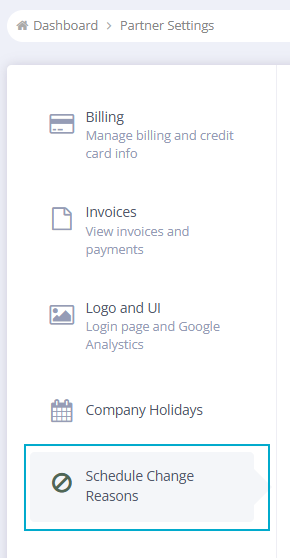
In Settings, you can click on Schedule Change Reasons on the left-hand side of the page to open these settings.
You can click "+Create" on the top right of the report to create a new reason. You can select a Type you want this reason to appear for like Bump, Move, or Cancel schedule changes. Then add a Name for the reason.
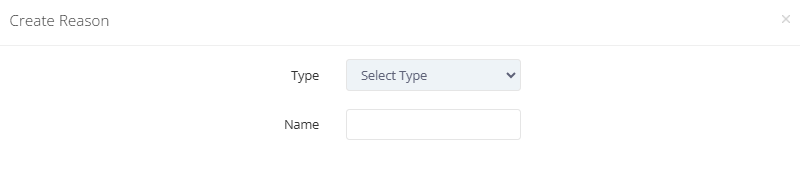
When it's all set, just hit "Save" and your reason will be available for use immediately!
A few things to note:
Once a reason has been created, it cannot be deleted and the type cannot be changed.
Default reasons labeled "Global Reasons" cannot be edited or deleted
For Cancelled Services, added reasons will appear on the Cancelled Services Report
FAQ
What are schedule changes?
Schedule changes are updates made to job statuses, which initially show as 'Pending' until a change is made or the week is closed, after which they switch to 'Closed.'
How can I add reasons for schedule changes?
You can add reasons for schedule changes by going to the Company tab, then Partner, and clicking on Settings. From there, select Schedule Change Reasons to create new reasons.
Can I change a reason for a schedule change or canceling service after it has been submitted?
No, once the schedule change or cancel service is submitted, you cannot go back and change the reason that was submitted.
Are there default reasons for schedule changes?
Yes, there are default reasons labeled 'Global Reasons' that cannot be edited or deleted.
Will added reasons for cancelled services appear in reports?
Yes, added reasons for cancelled services will appear on the Cancelled Services Report.